“You’re Not Going to Die”: A Journey into Gratitude

“You’re Not Going to Die”: A Journey into Gratitude

Blog

“You’re Not Going to Die”: A Journey into Gratitude

In 1983 David Ross Patient was diagnosed with HIV.

He thought life wasn’t worth living, but as he stood on the edge of a cliff with the intention to jump and end his life, a voice said to him “you’re not going to die.”

David is still here to tell his story, and I’m very excited to share his inspirational journey from the brink of suicide to immense gratitude.

David has spent his life supporting others, breaking down the walls of stigma and encouraging people with HIV to be a ‘positive positive.’

David’s friends have created a GoFundMe campaign to support David as he faces another serious operation.

If you’re inspired by David’s journey and feel moved to support him (I know I did), head on over to his GoFundMe campaign and pledge a couple of dollars.  You can also connect with David on facebook and his website.

Thanks for joining me for this gratitude interview.  I look forward to sharing more with you in the coming months.

With gratitude,

The information provided on this podcast is intended for informational purposes only and should not be considered professional advice

WANT MORE LIKE THIS IN YOUR INBOX?

[et_bloom_inline optin_id="optin_9"]
Simple Rituals for Letting Go

Simple Rituals for Letting Go

Are you ready to let go of something that is no longer serving you? Ritual can be a  powerful way to do this. I like letting go rituals that are simple. Here are some ideas: Write down what you would like to release (a list, a story, a letter, a poem, a drawing or a photograph) and burn it to...

read more
What Do You Desire?

What Do You Desire?

I’ve been consciously creating a life of meaning and purpose for myself and supporting others on their paths for many years. However it wasn’t until I met Dr Richard Miller and began the journey into iRest Yoga Nidra that I heard the term Heartfelt Desires, and fully realised the potency and...

read more
The Science of Willpower

The Science of Willpower

If you’ve ever tried to let go of an old habit, or create a new one, you’ve no doubt found how challenging it can be.   I’ve previously written about the six steps to changing a habit - they include clarity, noticing, self compassion, acting consciously, acknowledgement and repetition. Dr Kelly...

read more

Join our community over at the Yoga Psychology Institute and download my favourite Spotify playlist for nervous system regulation

What’s draining your energy?

What’s draining your energy?

Blog

What’s draining your energy?

Fatigue is a major issue in many of our lives.  We live such busy, switched on lives, that we find it hard to switch off and simply be. There are many reasons why we might feel fatigued, but they’re not all what you might think. Fatigue is a symptom of depression, and often a side effect of anxiety and stress.  Fatigue can result from the substances we put in our body, like too much alcohol, drugs, sugar, caffeine, processed food, gluten and dairy.  It can result from being too strict about your food intake, or too little or too much exercise.  It can result from being in toxic relationships, work places, friendships and environments.  It can result from poor or not enough sleep. Fatigue can also come from self doubt and self criticism.  It can result from having things hanging over your head, like a messy house, a late tax application, the birthday card you bought but forgot to send to your Grandma, a disorganised filing system or that meditation practice you want to do but never get around to it. I had a dream a couple of years ago where I was in a beautiful old ramshackle house.  The house was mine, and it was glorious, but the paint was chipping, vines were growing all over the outside and inside of the house, and none of the doors or windows would close properly.

“Dreams are the royal road to the unconscious” Sigmund Freud

This dream helped me to wake up to the doors and windows in my own life that were leaking energy. I identified small things in my life that were adding up to something larger than their individual weight.  Things like a messy desktop on my computer, a cupboard full of clothes I wasn’t wearing, not getting quite enough sleep and feeling constantly pressured by time to get things done. And so I started to make small changes in my life, like cleaning up my computer desktop, taking boxes of clothes to the Op Shop, practicing gratitude, making sleep part of my morning yoga practice if I was up in the night with my children and taking time to be by myself. Small changes.  But they made all the difference. What is draining energy from your life? I’ve created an ENERGY DRAIN WORKBOOK for you to work out what your energy drains are, and what achievable steps you can take to overcome them. Identifying your energy drains and making small changes will support you to live a vibrant and engaged life! You can download the ENERGY DRAIN WORKBOOK for free in my Library.
Download the ENERGY DRAIN pdf worksheet, then print it out or grab your journal.   Let’s dive into what YOUR energy drain are and come up with some simple ways to increase your energy and vitality. I’d love to hear about what your energy drainers are, and one small step you’re going to take to move beyond them.  Do leave me a comment below. With gratitude,

The information provided on this podcast is intended for informational purposes only and should not be considered professional advice

WANT MORE LIKE THIS IN YOUR INBOX?

[et_bloom_inline optin_id="optin_9"]
Simple Rituals for Letting Go

Simple Rituals for Letting Go

Are you ready to let go of something that is no longer serving you? Ritual can be a  powerful way to do this. I like letting go rituals that are simple. Here are some ideas: Write down what you would like to release (a list, a story, a letter, a poem, a drawing or a photograph) and burn it to...

read more
What Do You Desire?

What Do You Desire?

I’ve been consciously creating a life of meaning and purpose for myself and supporting others on their paths for many years. However it wasn’t until I met Dr Richard Miller and began the journey into iRest Yoga Nidra that I heard the term Heartfelt Desires, and fully realised the potency and...

read more
The Science of Willpower

The Science of Willpower

If you’ve ever tried to let go of an old habit, or create a new one, you’ve no doubt found how challenging it can be.   I’ve previously written about the six steps to changing a habit - they include clarity, noticing, self compassion, acting consciously, acknowledgement and repetition. Dr Kelly...

read more

Join our community over at the Yoga Psychology Institute and download my favourite Spotify playlist for nervous system regulation

Apps for health, happiness and well being

Apps for health, happiness and well being

Blog

Apps for health, happiness and well being

I admit it.  I’m a bit of a tech nerd.  My computer is actually worth more than my car (which incidentally isn’t saying much) and I love hearing about the latest developments in  technology.  While I’m conscious of not letting technology rule my life (I’ve never owned a TV and always try to switch off from screen time at least an hour or two before bed), I do love technology that makes life easier.

So to share with you all I’ve learnt over the years, I’ve put together my favourite six applications for health, happiness and well being.

Enjoy!

1. Insight Timer

This is a really simple app on my iPhone that has made a big difference in my meditation practice.  Before using this app, I used to sit in meditation and wonder when the time was up (sound familiar anyone?).  With this app I set the length of time I want to practice for, choose from a number of gorgeous sounding meditation bowl sounds, then close my eyes and let my iPhone hold the space for me during my meditation practice.  I no longer need to think about how much longer I need to sit, or open one eye to quietly check the time in the middle of my practice.

I came across this timer when sitting with a renowned Buddhist meditation teacher in Byron 5 years ago.  One day he decided that instead of keeping time himself and ringing the singing bowl at the end of the 20 minute practice, he would use this app.  His students weren’t that impressed, and he went back to the old skool method, but it gave me a great idea and I’ve been using it myself since then.

I often suggest this app to my iRest Yoga Nidra students.  Once they feel comfortable with the meditation practice, they can ditch my recordings and practice without my voice guiding them, using this app to keep the practice contained and to help stop their mind from wandering to the time (because let’s face it we could all do with one less excuse for our minds to wander!).

I was pretty stoked a few months ago when the folk from Insight Timer contacted me and asked me to share a meditation with them (along with Tara Brach, Sharon Salzberg, Jack Kornfield and Eckarht Tolle).  As a long time user I jumped at the chance.  Now you can listen to my Mindful Breathing Meditation for free on this app (over 4000 people listened to it in the first month it was live, woah!).

Cost = Free

2. Instagram

I love taking and sharing photos, and Instagram is such a fun way of doing this.  It’s the main way we share our gratitude photographs in Capturing Gratitude, and it’s a beautiful and simple of way of getting creative and creating community.  I used to use different apps to edit my photos before posting on Instagram, but I prefer to keep it simple and only use in-app filters and effects.

Being creative, fostering community and focusing on what we’re grateful are all so important for our emotional and physical health.  Just because it’s fun, doesn’t mean it’s not good for you!

Cost = Free

3. HeartMath Inner Balance

This is a simple Heart Rate Variability (HRV) monitor that plugs into your iPhone or iPad.  You download the app, clip the pulse sensor on one ear and plug the other end in your device.  The sensor monitors your Heart Rate Variability, and the app instructs you to breathe and connect with your heart, while it records the change over the course of your practice.

HRV is the variation in intervals between adjacent heartbeats.  In general,  we’re aiming for high variability.  High HRV is associated with Parasympathetic Nervous System (PNS) dominance, known as the Relaxation Response or the Rest-Digest-Repair-and-Reproduce branch of the nervous system, and is very important for both physical and emotional well being.

The Inner Balance monitor gives us insight into the workings of our nervous system and a very simple way to induce high HRV and spend more time relaxing and feeling ok with the world, rather than stressing out.

I love sharing this app with my clients, as it demonstrates very visually the profound effect that breath practices (like this one) can have on our overall well being.  It’s one thing for someone to tell you that breathing well is good for you, but when you can actually see the effects of the practice on the monitor, it gives us more motivation to continue.

Cost = $185 AUD ($125 USD)

4. F.lux

This is a new addition to my techy world.  When the sun starts to set, my computer screen starts to turn orange.  It was a little disconcerting initially, but I’m really loving it.

The reasoning behind this strange colour change, is to improve sleep quality.  Melatonin levels in our body are designed to peak at night, helping us to go off to sleep.  Melatonin acts as a messenger, signalling to the body that it’s night time.  Researchers have found that short wave light, the blue-ish light that is emitted by backlit devices (such as computer, television, phones and tablets) actually suppresses melatonin, which is why many people have difficulty getting to sleep at night after using these devices.

Ideally, I would say, the best thing to do would be to not use any devices an hour to two before bed, but if you have to (if like me you have young children and make the most of the time that they’re tucked up in bed) using an app like F.lux may just help you sleep better.

Cost = Free

5. Google and Google Scholar

Ok, so maybe this is a total obvious one.  But I love that if I want to know something, I can just hop online and find an answer.  Of course we need to be careful when consulting ‘Dr-Google’ (self diagnosis with google can lead to some scary results), but generally I love having so much information at my finger tips.

Google Scholar is a great place to look for evidence based research about any topic you can think about.  When I was researching the effects of working late on the computer on my sleep and when I was writing an article on the effects of stress on blood sugar levels for Rachel Zinman’s Yoga for Diabetes blog, it was google scholar that I consulted.

Cost = Free

6. Trello

This is a really simple and intuitive list writing app.  Writing TO DO lists helps me to keep track of everything I need to get done, across many areas of my life.  Mostly I use Trello for work stuff (‘write a blog about technology’ may just be one of the items on it!).  I have a list of things that need to get done, and at the beginning of the day, I decide what I’d like to work on that day, and drag all the tasks into a board labelled ‘TODAY.’  It helps to keep me focussed.

My husband and I also share a Trello board with our shopping list on it.  We both add things when we run out of them in the kitchen, and whenever one of us is at the shops, it’s easy to know what we need to buy (happily he’s an even bigger tech nerd than me).

I’ve suggested this app to clients who are feeling overwhelmed by everything that they want to get done.  The boards you create look like you’re sticking post it notes on a wall, so it’s really helpful to break tasks down, and to (virtually) cross them off you’re list when you’re done.  Very satisfying!

The only downside of list writing (whether it’s on paper or an app) is that we can get too consumed with writing the lists and freaked out by all the things we have to do.  So my suggestion is to take it easy and leave lots of space for spontaneity and going with the flow.

Cost = Free

Have I missed anything? What are you favourite apps for health and well being?  I’d love to hear about them below.

Thanks again for joining me here today,

The information provided on this podcast is intended for informational purposes only and should not be considered professional advice

WANT MORE LIKE THIS IN YOUR INBOX?

[et_bloom_inline optin_id="optin_9"]
Simple Rituals for Letting Go

Simple Rituals for Letting Go

Are you ready to let go of something that is no longer serving you? Ritual can be a  powerful way to do this. I like letting go rituals that are simple. Here are some ideas: Write down what you would like to release (a list, a story, a letter, a poem, a drawing or a photograph) and burn it to...

read more
What Do You Desire?

What Do You Desire?

I’ve been consciously creating a life of meaning and purpose for myself and supporting others on their paths for many years. However it wasn’t until I met Dr Richard Miller and began the journey into iRest Yoga Nidra that I heard the term Heartfelt Desires, and fully realised the potency and...

read more
The Science of Willpower

The Science of Willpower

If you’ve ever tried to let go of an old habit, or create a new one, you’ve no doubt found how challenging it can be.   I’ve previously written about the six steps to changing a habit - they include clarity, noticing, self compassion, acting consciously, acknowledgement and repetition. Dr Kelly...

read more

Join our community over at the Yoga Psychology Institute and download my favourite Spotify playlist for nervous system regulation

Stop stressing, start relaxing (a how to guide)

Stop stressing, start relaxing (a how to guide)

Blog

Stop stressing, start relaxing (a how to guide)

A week ago I was fortunate enough to attend the Balancing the Busy conference in Bangalow, hosted by the lovely Jody Vassallo.  Two of the guest teachers on A Daily Dose of BlissRachel Zinman and Caroline Cowley were speaking, along with Dr Libby Weaver, an internationally acclaimed nutritional biochemist, author and speaker. Dr Libby spoke about nutrition, the autonomic nervous system, the Rushing Women’s Syndrome, exercise, caffeine, love and the serenity prayer, but said that her number one health tip was to simply extend the exhalation. When we extend the out breath, the parasympathetic branch of the nervous system (PNS) kicks in. The PNS is otherwise known as the ‘rest, digest and repair’ response, and is vital for our health, healing and happiness.  Conversely, the sympathetic nervous system (SNS) is required to save us from life threatening danger, and is otherwise known as the ‘fight, flight or freeze’ response. Our nervous system was built for us to only use the SNS if our life is in danger, but these days, we all rush around with such stress and urgency, that our bodies are fooled into thinking that our life is actually being threatened.  As a result our body reduces it’s resources dedicated to healing, digestion, relaxation and libido, and instead goes about trying to save our life by increasing resources to get away from the perceived threat. Our breath is a key way that we can move from sympathetic to parasympathetic dominance.  Our in breath is associated with SNS dominance, and the out breath with PNS dominance.  So extending the exhalation can help us to move out of the ‘fight, flight or freeze’ response, and into the ‘rest, digest and repair’ response. Extending the exhalation is so simple.  We can practice it anywhere, it takes very little time, it doesn’t require any special equipment, and best of all, it’s  free! The Extended Exhalation Breath is a practice I teach regularly in my yoga classes, in my counselling room and it’s one of the practices in my online course A Daily Dose of Bliss. Would you like to give it a try? Join me in the shala. Find yourself a comfortable position and press play…..
I personally love this practice at night time.  I practice it lying in bed, and it helps me to drift off to sleep (hint: it’s almost impossible to get to sleep when the sympathetic nervous system is dominant). Take a few minutes to try this practice, then leave me a comment below about how you found it.  I’d love to hear about how it was for you. Happy breathing,

The information provided on this podcast is intended for informational purposes only and should not be considered professional advice

WANT MORE LIKE THIS IN YOUR INBOX?

[et_bloom_inline optin_id="optin_9"]
Simple Rituals for Letting Go

Simple Rituals for Letting Go

Are you ready to let go of something that is no longer serving you? Ritual can be a  powerful way to do this. I like letting go rituals that are simple. Here are some ideas: Write down what you would like to release (a list, a story, a letter, a poem, a drawing or a photograph) and burn it to...

read more
What Do You Desire?

What Do You Desire?

I’ve been consciously creating a life of meaning and purpose for myself and supporting others on their paths for many years. However it wasn’t until I met Dr Richard Miller and began the journey into iRest Yoga Nidra that I heard the term Heartfelt Desires, and fully realised the potency and...

read more
The Science of Willpower

The Science of Willpower

If you’ve ever tried to let go of an old habit, or create a new one, you’ve no doubt found how challenging it can be.   I’ve previously written about the six steps to changing a habit - they include clarity, noticing, self compassion, acting consciously, acknowledgement and repetition. Dr Kelly...

read more

Join our community over at the Yoga Psychology Institute and download my favourite Spotify playlist for nervous system regulation

You can’t stop the waves but you can learn how to surf

You can’t stop the waves but you can learn how to surf

Blog

You can’t stop the waves but you can learn how to surf

Having a full range of emotions is part of the experience of being human.

Happiness, sadness, excitement, anxiety, guilt, shame, contentment, unease (you know where I’m going with this, right?).

Trying to suppress our emotions is akin to suppressing the waves in the ocean.  Impossible.

Yoga has some very practical wisdom to teach us to surf the waves of our emotions, instead of getting dumped by them.  Three simple and effective ways for emotional balance include (1) welcoming it all in, (2) self regulating practices and (3) meeting yourself where you are.

Welcome it all in

While there are very many yogic practices to help us regulate our emotions, the very first thing we need to do is to check in with ourselves.  Emotions express themselves in our body, so we don’t need to look very far.

Stop now for a moment, close your eyes, and feel how you are feeling in your body.  Notice any sensations that are present.  Bring a gentle curiosity to these sensations, without trying to change, fix or make anything happen.  Welcome them all in.  And as you are doing so, notice any thoughts, memories or urges that are arising.

When we close our eyes and take our focus inwards, we discover a whole landscape within us that is as wild and wonderful as the world outside us.

And when we stop trying to deny, change or fix our inner experience, even if just for a moment, we let go of the struggle and we simply be.  There’s nothing we need to do, know or own to make us any better than we already are. When we welcome in our experience just as it is, more often than not we find ourselves residing in peace.

This is a practice we can pause and do at any time during the day.  iRest Yoga Nidra is a beautiful guided practice that can support us to welcome it all in, and be with life, and ourselves, just as we are.

Practices to self regulate

There is an abundance of yogic techniques we can use to find emotional equilibrium.  Practices for calming, relaxation, energising, balance, grounding and more.

Diaphragmatic breathing is one simple but profound practice that engages the parasympathetic nervous system and helps us feel calm and relaxed.

Try lying down, closing your eyes and putting your hands on your belly. When you breathe in, send your breath down towards your hands and feel your belly gently expand.  As you breathe out, notice how the belly naturally contracts as the air leaves the body.  Try doing this for 10 breaths or so, and see how you feel afterwards.

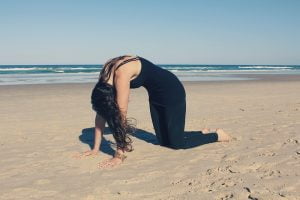
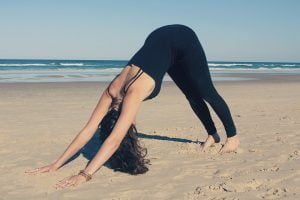
If you are feeling a little flat or down, a more energetic practice can help lift your mood.  Asanas (yoga postures) are a wonderful way to do this.  Roll out your mat and try a few cat/cow stretches. Or, if you are feeling really energetic, try some sun salutations instead.  Moving the body and connecting with others is a great way to improve our mood, so try getting along to a public yoga class, and see how you feel afterwards.

Cat Pose

Cow Pose

Downward Dog


In A Daily Dose of Bliss, you can learn a whole host of short and sweet yogic practices like these to regulate your emotions.

Meet yourself where you are

If you are really anxious, one of the hardest things to do is to breathe deeply, even though it is exactly what you need to do.  Likewise, when you are feeling depressed it can seem almost impossible to get out of bed and move your body.

It is really important that we meet ourselves where we are.  Only when we do this, can we move towards where we want to be.  Otherwise, we just get caught up in the struggle of trying to change ourselves.

So, if you are feeling anxious, and your breath is short, shallow and irregular, start your practice by just noticing, without judgement, the rhythm of your breath.  Then gently start to deepen your breath into your belly, moving slowly into diaphragmatic breathing without force or expectation.

If you are finding it hard to get out of bed in the morning, don’t set yourself up for failure by planning a 90 min dynmamic vinyasa yoga sequence.  Instead start by moving into child’s pose in bed, then flow into a few cat/cow sequences.

Surfing the waves

So next time you are feeling the waves of emotion arising within, stop for a moment and feel what you are feeling.  Often, this is all we need to do.  Emotional balance comes when we can welcome life just as it is.

If we need some extra help, there are very many yoga practices we can make use of.  Diaphragmatic breathing for calming and gentle asanas for energising are two wonderful ways to regulate our emotions.  Think of them as tools in your tool kit, that you can draw upon whenever you need to.

When you’re selecting your tools, and considering the way you go about implementing them, be sure to meet yourself exactly where you are.

As Swami Satchitananada is credited as saying ‘You can’t stop the waves but you can learn how to surf’[i].

Happy surfing,

The information provided on this podcast is intended for informational purposes only and should not be considered professional advice

WANT MORE LIKE THIS IN YOUR INBOX?

[et_bloom_inline optin_id="optin_9"]
Simple Rituals for Letting Go

Simple Rituals for Letting Go

Are you ready to let go of something that is no longer serving you? Ritual can be a  powerful way to do this. I like letting go rituals that are simple. Here are some ideas: Write down what you would like to release (a list, a story, a letter, a poem, a drawing or a photograph) and burn it to...

read more
What Do You Desire?

What Do You Desire?

I’ve been consciously creating a life of meaning and purpose for myself and supporting others on their paths for many years. However it wasn’t until I met Dr Richard Miller and began the journey into iRest Yoga Nidra that I heard the term Heartfelt Desires, and fully realised the potency and...

read more
The Science of Willpower

The Science of Willpower

If you’ve ever tried to let go of an old habit, or create a new one, you’ve no doubt found how challenging it can be.   I’ve previously written about the six steps to changing a habit - they include clarity, noticing, self compassion, acting consciously, acknowledgement and repetition. Dr Kelly...

read more

Join our community over at the Yoga Psychology Institute and download my favourite Spotify playlist for nervous system regulation

The Gratitude Project. A video.

The Gratitude Project. A video.

Blog

The Gratitude Project. A video.

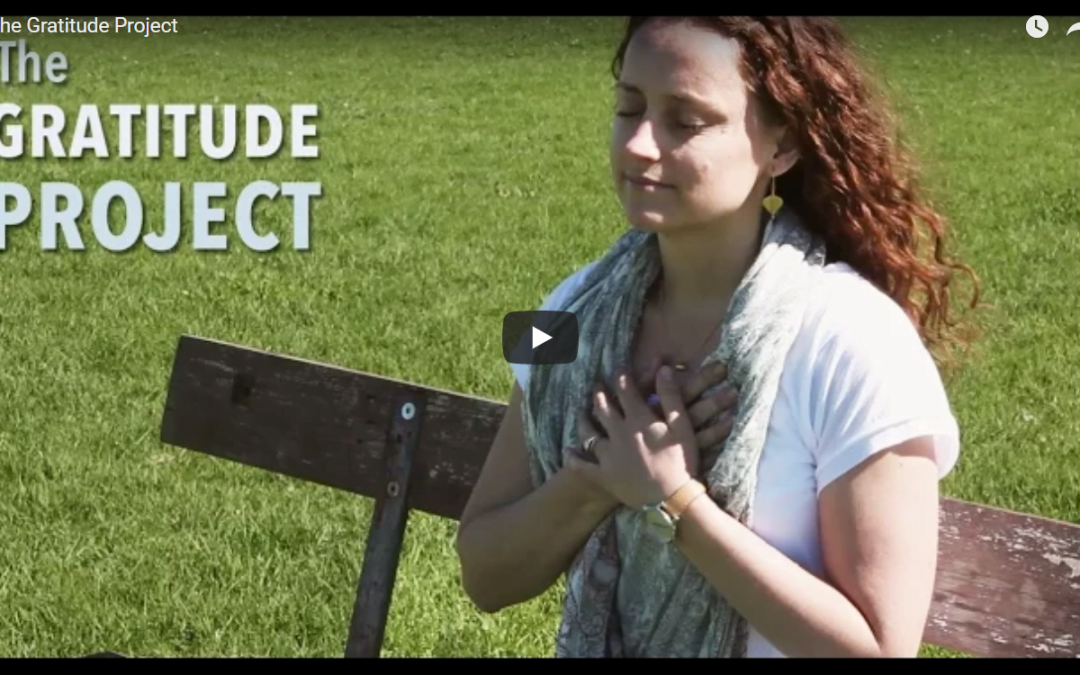
A couple of weeks ago the Uplift team and I gathered at The Farm in Byron Bay to create a video about gratitude.  I put the invite out for people to come and sit on the gratitude bench and share what they’re most grateful for. Even though I was there for the whole day of filming, I was moved to tears today when I watched the short video they created. Uplift Connect are an amazing organisation whose mission it is to spread love, peace and oneness all over the globe.  And I’m so honoured that they’ve chosen to feature Capturing Gratitude. Come take a look at the video:
World Gratitude Day is on September 21st 2015, and I’m really excited about diving in for another round of 30 days of gratitude. Capturing Gratitude is a free community project aimed at increasing worldwide happiness, and includes a 30 Days of Gratitude eCourse and the Gratitude Interviews eBook with some of these very inspiring beings from my hometown, Byron Bay:
If you haven’t already done so, do join me.  It’s going to be lots of fun! Sign up at www.capturinggratitude.com.
With a deep bow of gratitude for going on this journey with me,

The information provided on this podcast is intended for informational purposes only and should not be considered professional advice

WANT MORE LIKE THIS IN YOUR INBOX?

[et_bloom_inline optin_id="optin_9"]
Simple Rituals for Letting Go

Simple Rituals for Letting Go

Are you ready to let go of something that is no longer serving you? Ritual can be a  powerful way to do this. I like letting go rituals that are simple. Here are some ideas: Write down what you would like to release (a list, a story, a letter, a poem, a drawing or a photograph) and burn it to...

read more
What Do You Desire?

What Do You Desire?

I’ve been consciously creating a life of meaning and purpose for myself and supporting others on their paths for many years. However it wasn’t until I met Dr Richard Miller and began the journey into iRest Yoga Nidra that I heard the term Heartfelt Desires, and fully realised the potency and...

read more
The Science of Willpower

The Science of Willpower

If you’ve ever tried to let go of an old habit, or create a new one, you’ve no doubt found how challenging it can be.   I’ve previously written about the six steps to changing a habit - they include clarity, noticing, self compassion, acting consciously, acknowledgement and repetition. Dr Kelly...

read more

Join our community over at the Yoga Psychology Institute and download my favourite Spotify playlist for nervous system regulation